

Teina Bedroom

Description
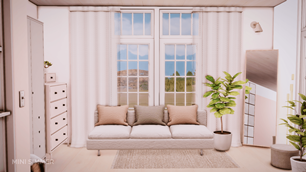
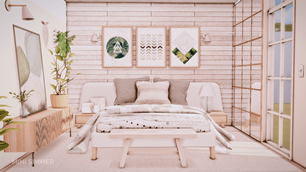
The Teina Bedroom is a serene, CC-crafted sanctuary designed to blend modern minimalism with warm, lived-in comfort. Featuring soft neutral tones, layered textures, and curated decor—from wood-paneled walls and geometric art to plush seating and natural light—this space invites relaxation and style. Perfect for storytelling, screenshots, or everyday gameplay, it’s a must-have for builders who crave detail without clutter
To install this room in your game:
-
Download the room and unzip the files.
-
Copy all the extracted files.
-
Paste them into your Tray folder (located at Documents → Electronic Arts → The Sims 4 → Tray).
-
Launch The Sims 4, open the Gallery, and go to the My Library tab.
-
Locate the lot, place it in your world, and enjoy!
Happy simming! 🎮