
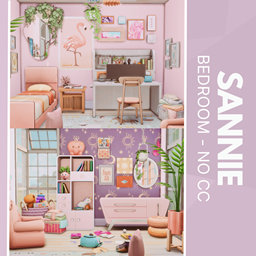
Sannie Bedroom - No CC
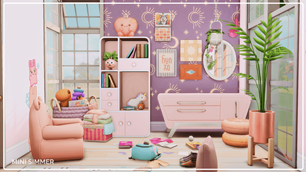
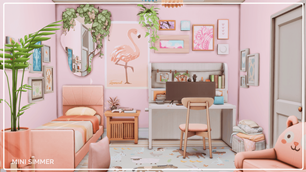
Description
Wrap your Sims in the soft warmth of the Sannie Bedroom, where blush tones meet playful functionality. It features a stylish bed, a sleek desk with a computer setup, and shelves sprinkled with decor, plants, and framed art. Sunlight streams through wide windows, amplifying the whimsical vibe created by purple and pink accents. This space balances comfort and personality, ideal for teens, creatives, or anyone craving a pretty retreat. Best of all—no custom content required, making it a breeze to download and drop into your next build!
To install this room in your game:
-
Download the room and unzip the files.
-
Copy all the extracted files.
-
Paste them into your Tray folder (located at Documents → Electronic Arts → The Sims 4 → Tray).
-
Launch The Sims 4, open the Gallery, and go to the My Library tab.
-
Locate the lot, place it in your world, and enjoy!
Happy simming! 🎮