
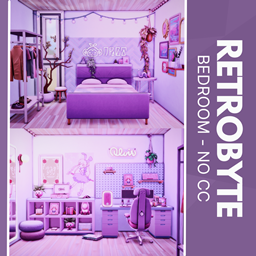
Retrobyte - No CC
Description
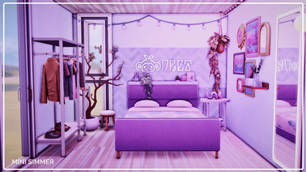
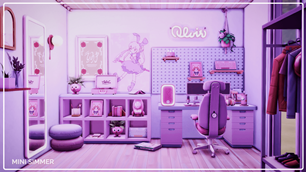
Step into the ultimate Sim gamer zone, where bold purple walls pulse with pixel-powered energy. The setup features a dual-purpose room—half dreamy sleep den, half serious battle station. A glowing "RETROBYTE" sign sets the tone, while string lights and lush plants keep it cozy. Decked with a pro desk, RGB accents, and wall-mounted gear, this room screams “GG EZ.” Perfect for streamers, speedrunners, and creative coders alike—this is where Sims game to win.
To install this room in your game:
-
Download the room and unzip the files.
-
Copy all the extracted files.
-
Paste them into your Tray folder (located at Documents → Electronic Arts → The Sims 4 → Tray).
-
Launch The Sims 4, open the Gallery, and go to the My Library tab.
-
Locate the lot, place it in your world, and enjoy!
Happy simming! 🎮