
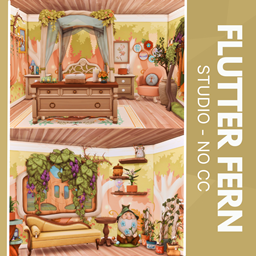
Flutterfern - No CC
Description
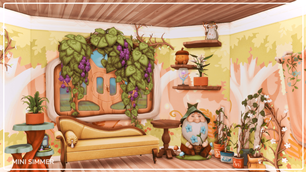
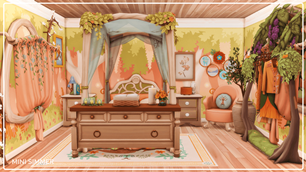
Wrap your Sims in woodland whimsy at Flutter Fern Studio, where cozy meets enchanting. A flowing canopy bed anchors the space, embraced by lush foliage and calming tones. Whimsical touches—like a curious gnome and cheerful plant clusters—create a storybook vibe. Soft lighting and vintage textures invite daydreaming or late-night journaling. Perfect for creatives and nature-lovers alike, it’s a serene escape tucked in a bloom-filled nook.
To install this room in your game:
-
Download the room and unzip the files.
-
Copy all the extracted files.
-
Paste them into your Tray folder (located at Documents → Electronic Arts → The Sims 4 → Tray).
-
Launch The Sims 4, open the Gallery, and go to the My Library tab.
-
Locate the lot, place it in your world, and enjoy!