
Custom Swatch CC Wrench (No Swatch Icon)
Description
Don't forget your main wrench file (in the list below) after downloading your swatch wrench! (Still Uploading)
 Updates:
 2025 August 20th - Updated for previous patch 1.116.202. Please re-download your swatch icon (No Swatch Icon or Swatch Icon) for this update (not the main CC wrench, update was not needed for it).
- 2025 January 18th - Updated for patch 1.112.481. Please re-download your main CC wrench. While the swatch ones did not need an update, they and the main wrenches have been manifested to work with the PlumbBuddy app. I'll add this to my tutorial later, but if you are a creator also manifesting your swatches and want to add conflict detection, easiest common route is using the instance IDs of all 3 files in the Exclusivities section (I also used "CC Wrench" just in case).
 Description
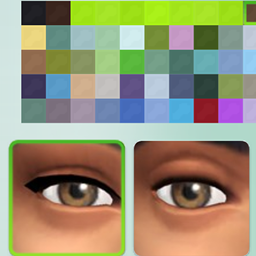
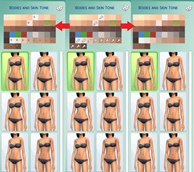
This removes the swatch CC wrench you see in CAS for genetics like eyes, skin, etc. You need to grab a main wrench (only one!) listed below as well to get rid of the wrenches in other areas of the game, this one you are on only covers the genetic swatches!
- Original Grey CC Icon from Xhallie
- Blue CC Icon
- Green CC Icon
- Orange CC Icon
- Green Plumbob Icon
- Blue Plumbob Icon
- Black Plumbob Icon
- Pink Plumbob Icon
- Purple Plumbob Icon
- The Sims Medieval Plumbob Icon
- Sims 3 Store Icon
 Edited Files & Installing
You now download 2 files: 1) your wrench icon color/style of choice (only one of the options listed above), 2) a No Swatch Icon (the current page) or (Plumbob) Swatch Icon for genetic details. Remember to always clear your localthumbcache when adding new mods or CC to ensure the mods/CC work properly.
This mod overrides the two DST files listed below. It will conflict with any other mod that overrides/alters the same files, including all other wrench mods.
00B2D882!00064DC9!D518B5D7A3BBD372.DSTImage
00B2D882!00064DCA!D518B5D7A3BBD372.DSTImage