
Custom CC Wrench (Xhallie Grey CC)
Description
Don't forget your genetic swatch file (No Swatch Icon or (Plumbob) Swatch Icon) after downloading your main wrench!
 Updates:
  2025 January 18th - Updated for patch 1.112.481. Please re-download your main CC wrench. While the swatch ones did not need an update, they and the main wrenches have been manifested to work with the PlumbBuddy app. I'll add this to my tutorial later, but if you are a creator also manifesting your swatches and want to add conflict detection, easiest common route is using the instance IDs of all 3 files in the Exclusivities section (I also used "CC Wrench" just in case).
 Description
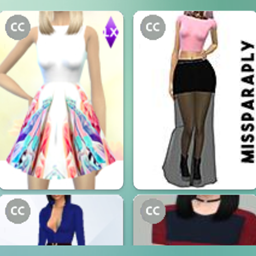
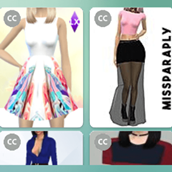
This replaces the CC wrench you see in CAS, Build/Buy, and the gallery with a new one.
If you are looking for my other versions instead of this one (remember, you can only use one), you can find them linked below, or on Patreon and ModTheSims. The original (this Grey one) + 10 new main wrench versions for you to choose from, and you also have a No Swatch Icon or (Plumbob) Swatch Icon to choose from to combine with a main wrench.
- Blue CC Icon
- Green CC Icon
- Orange CC Icon
- Green Plumbob Icon
- Blue Plumbob Icon
- Black Plumbob Icon
- Pink Plumbob Icon
- Purple Plumbob Icon
- The Sims Medieval Plumbob Icon
- Sims 3 Store Icon
- DON'T FORGET THE SWATCH FILE! Optional file to combine with one of the above main wrenches, No Swatch Icon or (Plumbob) Swatch Icon. No Swatch means that the swatches match EA's genetic swatches, so there are no wrench icons to show that they are CC. The (Plumbob) Swatch Icon is a tiny plumbob on the genetic swatches to indicate they are CC colors, (which you can see in the examples on that page).
As for the new versions, I simply recolored the original grey icon into Sims colors, the plumbob icon (including Sims Medieval version) was my idea as I wanted to add something else that was a bit more Maxis Match, and the Sims 3 Store one was requested I believe (but now my favorite). As of now I am no longer taking requests and instead encourage you to make your own by following my tutorial. Edited Files & Installing
You now download 2 files: 1) your wrench icon color/style of choice (this current one or one of the other options), 2) a No Swatch Icon or (Plumbob) Swatch Icon for genetic details. Remember to always clear your localthumbcache when adding new mods or CC to ensure the mods/CC work properly.
This mod overrides the four DST files listed below. It will conflict with any other mod that overrides/alters the same files, including all other wrench mods.
00B2D882!00064DC9!09BBBF9DC6153DF9.DSTImage
00B2D882!00064DC9!9AD1293A832706E0.DSTImage
00B2D882!00064DCA!09BBBF9DC6153DF9.DSTImage
00B2D882!00064DCA!9AD1293A832706E0.DSTImage