
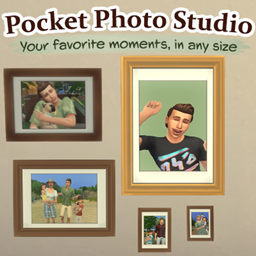
Pocket Photo Studio

Description
Pocket Photo Studio
Created by Green Amber
Every Sim has a story worth remembering.
From family portraits and childhood memories to spontaneous everyday moments, Pocket Photo Studio makes it easier to capture, create and preserve the moments that matter.
Take beautiful group photos, explore imagined moments from your Sims' past, capture them in the middle of everyday activities and create copies of your favorite photographs in different sizes.
All from your Sim's phone - or with a simple click on a Sim or photo.
Features
Group & Family Photos
Bring your Sims together for memorable photographs.
- Photograph up to 8 eligible Sims or pets together.
- Create family portraits, couple photos or pictures with friends and pets.
- Choose from Solid Colors, locations under Worlds, and themed backgrounds - including four Halloween scenes.
- Select an outfit category for everyone in the photo.
- Create landscape or portrait photos in different sizes.
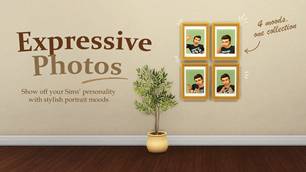
Expressive Photos
Give your portraits a little more personality!
- Photograph one or two human Sims, from Teen to Elder.
- Choose from different expressions and moods.
- Create multiple pose variations.
- Perfect for romantic portraits, playful pictures and expressive memories.
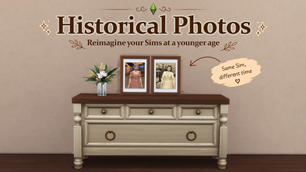
Historical Photos
Ever wondered what your Sims looked like when they were younger?
- Create imagined photographs of your Sims at younger life stages, all the way down to Infant where supported.
- Include multiple Sims and explore their shared past.
- Everyone ages backwards together to the same point in their shared past.
- Your actual Sims remain completely unchanged.
Create the childhood and family memories you never had the chance to photograph!
Historical Expressive Photos
Bring a little personality to memories from the past.
- Create expressive historical portraits of one or two human Sims.
- Choose expressions, backgrounds and outfits.
- Everyone must be Teen or older at the selected historical time.
- Your actual Sims remain completely unchanged.
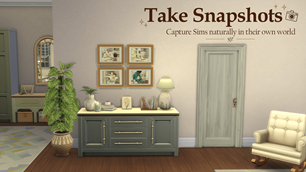
Take Snapshots
Capture everyday moments in your Sims’ surroundings.
- Click a Sim or supported animal and select Take Snapshot...
- Choose Close Distance, Medium Distance or Long Distance.
- Adjust the camera and take your photographs.
- Photograph Sims during their death event - or even Grim while he is reaping.
- No need to position another Sim as a photographer.
- No photography animation to interrupt the moment.
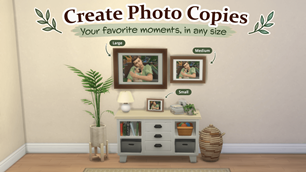
Create Photo Copies
Love a photo but wish it were a different size?
- Create Small, Medium, or Large copies of supported photographs.
- Keep your original photo unchanged.
- Turn a small favorite into a larger wall photograph, or create a smaller copy for a bedside table.
- Works with supported photos from the regular Sims 4 photography system too - not just photos created with Pocket Photo Studio!
Make It Your Own
Choose how your memories look.
- Quick photo options when you want something simple.
- Custom photo options for more creative control.
- Browse backgrounds through Solid Colors, Worlds and Themes.
- Outfit categories, photo formats and multiple variations.
How to Use
For Group, Expressive and Historical Photos:
- Open your Sim’s phone.
- Select the Pocket Photo Studio app.
- Choose a photo mode, including Historical Photo or Historical Expressive Photo.
- Follow the menus to create your photographs.
- Find the finished photos in your active Sim’s inventory.
For Snapshots: Click a Sim or supported animal / Take Snapshot... / choose a distance.
Installation
- Close The Sims 4.
- Download and extract GreenAmber_PocketPhotoStudio_<version>.zip.
- Place the extracted GreenAmber_PocketPhotoStudio_<version> folder directly inside your The Sims 4 Mods folder, something like:
Documents\Electronic Arts\The Sims 4\Mods - Keep all three required files inside that folder:
● PocketPhotoStudio.package
● PocketPhotoStudio_Textures.package
● PocketPhotoStudio.ts4script - Start the game and open Game Options / Other. Enable:
● Enable Custom Content and Mods
● Script Mods Allowed - Apply the changes and restart the game.
Updating: With the game closed, replace the previous version’s three mod files with the new ones. Keep any existing settings or history files. Make sure only one version of Pocket Photo Studio is installed.
Good to Know
- Historical Photos creates imagined younger appearances without changing your actual Sims or their ages.
- Photo copying and image exporting support compatible photo types; some photo effects are not supported.
- Supported photographs can also be saved as image files to your computer.