
HQ Pastel Abstract Modern Long Painting #1 Sellable Samtuse963
Description
- Curseforge Exclusive
- For base game
- High Quality
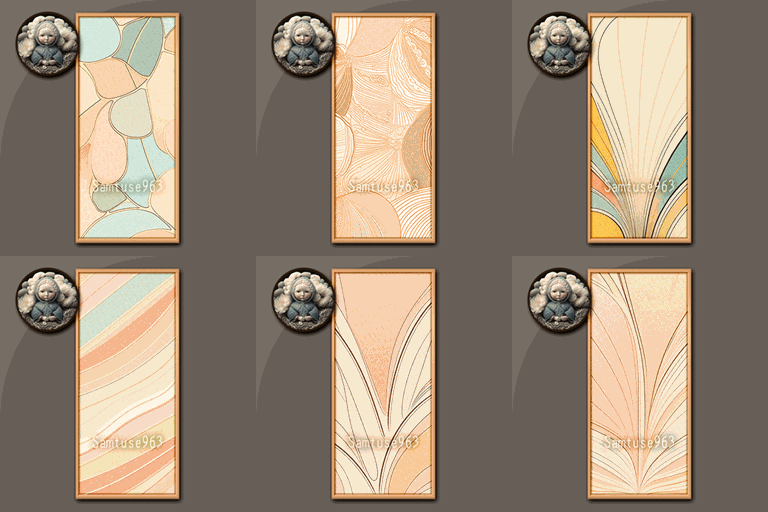
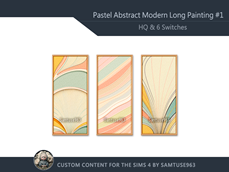
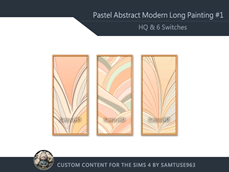
- 8 Switch
- Environment Score +10
- Imaginative +2
- You can find it in Decoration (Wall)
- Starting size 1x2
- Can moved any time or placed in a Sims inventory.
- Can be given as a gift (Need Seasons Pack)
- Different traits of Sims will have different impact effects.
- When you selecting "Move Closer" will make your Sims stand in front of it. And selecting "Invite Here" allows you to choose multiple nearby Sims to gather around the object. This is the closest I've come to creating a billboard effect, making it easy to gather multiple Sims for promotions or other interactions.
- Can be set as an heirloom. (Need Life and Death expansion pack)
EA's Heirlooms official description:
https://help.ea.com/en/help/the-sims/the-sims-4/wills-and-heirloom-items/
My latest items sorted in real-time:
My Latest Items
My most popularity projects list:
If you looking for painting, here are my related design:
How to place objects more freely
If you want to place objects more freely, you can press Shift + Ctrl + C,
then type bb.moveobjects on into the input box that appears in the top left corner of the screen.
How to make objects bigger or smaller in The Sims 4 On PC and Mac :
>
# Items in inventory or already on site
- Open Build Mode and select the object.
- To make the object bigger, hold Shift and then press ].
- Each time you press ] the object will get larger.
- To make the object smaller, hold Shift and then press [.
- Each time you press [ the object will get smaller.
# In Build mod, if your are holding Item
- To make the object bigger, hold Ctrl and then press ].
- Each time you press ] the object will get larger.
- To make the object smaller, hold Ctrl and then press [.
- Each time you press [ the object will get smaller.
Copyright Notice:
1.All my projects currently have only one author, which is me. If there is any collaboration, I will note all the authors' names.
2.To ensure the safety and rights of your downloads, please confirm that your download location is from Curseforge or Patreon.
3.Don't claim any of my objects as your own.
4.If you download and recolor or otherwise adjust my objects, please keep them for personal use only and Don't re-upload them for others to enjoy.
5.If your build creations, background designs, or other design projects include my items, please credit my name or page so that viewers can also get to know me.
6.If you want to collaborate or have other ideas, let me know, and we can discuss it together.
7.If you find anyone who appears to be using my objects without permission, please let me know so I can confirm if there is a copyright issue.
Important information:
All my objects are designed based on the basic game. There are absolutely no scripts added, and there will be no EXE files.
If you have any questions, please leave a comment or send me a private message, and I will answer or solve it as soon as possible.
My works are currently exclusively released on CurseForge, if you feel my work is worth recommending, please help spread the word. I truly appreciate your assistance! ❤️❤️❤️
by Samtuse963