
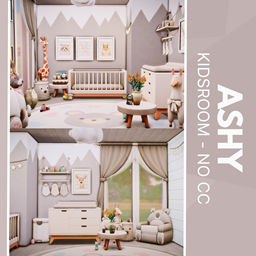
Ashy Kidsroom - no CC
Description
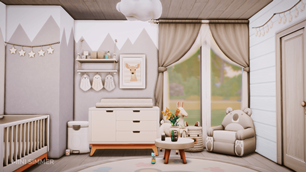
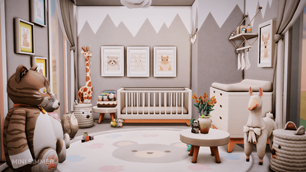
In Ashy Kidsroom, mountain-inspired wall art in muted ash and ivory establishes a serene backdrop for little adventurers, while a snug crib sits beneath framed giraffe, fox, and bunny prints to spark gentle imagination. Layers of plush—from a towering giraffe companion to a cozy bear-face rug—add warmth and whimsy to every corner. A petite round table crowned with a simple vase of blooms offers the perfect spot for tiny tea parties, and a matching bunny plush keeps guests company. Functional storage comes courtesy of a sleek dresser and hanging shelves, ensuring toys and treasures tuck away neatly. Natural light filters through sheer curtains, completing this soft, neutral sanctuary that feels both airy and inviting.
To install this room in your game:
-
Download the room and unzip the files.
-
Copy all the extracted files.
-
Paste them into your Tray folder (located at Documents → Electronic Arts → The Sims 4 → Tray).
-
Launch The Sims 4, open the Gallery, and go to the My Library tab.
-
Locate the lot, place it in your world, and enjoy!
Happy simming! 🎮