

In-game walkstyle chooser-CH | 步行風格選擇器-CH
Description
⩥【Mod Author】: abidoang
【模組作者】:abidoang
⩥【Main Mod Download - MTS Website】: LINK
【主體下載-MTS網址】⇈
Note: The Chinese file does not include the mod itself. Please download the main mod from the link above.
(The Chinese translation shown in the images is not necessarily the final version. Text may be adjusted and refined further to better match the actual in-game content.)
﹏﹏﹏﹏﹏﹏﹏🍧☪🧊☪🍨☪🧊☪🍦﹏﹏﹏﹏﹏﹏﹏
⩥【Required DLC & Custom Mods】 ↴
【所需DLC & 自定義模組】
- Game Expansion Packs: Base Game is required; some walking and swimming methods may require additional DLC.
- Custom Mod: None
(If the above modules are already in your Mods folder, you do not need to install them again. However, please ensure that you are using the latest version.)
⩥【Other Module Conflicts & Compatibility】 : None
【其他模組衝突&兼容性】
﹏﹏﹏﹏﹏﹏﹏🍧☪🧊☪🍨☪🧊☪🍦﹏﹏﹏﹏﹏﹏﹏
⩥【Module Introduction & How to Play】 ↴
【模組介紹&玩法】
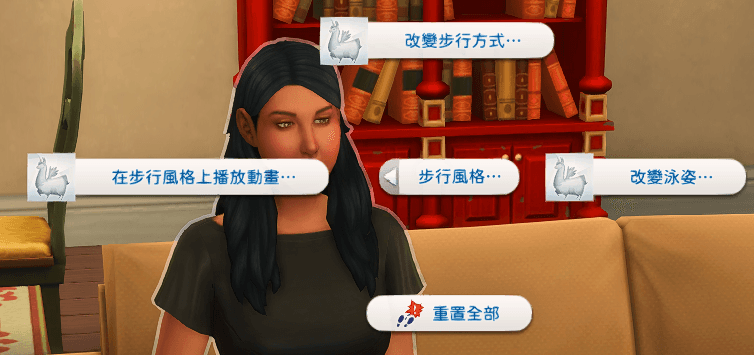
This mod adds a new interaction under the Actions menu called "Walking Style." With this feature, you can have your Sims use almost every walking style available in the game. These include not only the standard walk styles typically available in CAS (such as energetic, tough guy, swagger, etc.), but also emotional walks (like angry walk, sad walk), situational walks (such as celebrity walk, panicked walk, etc.). Additionally, this mod allows you to change the walking style of non-controllable Sims.
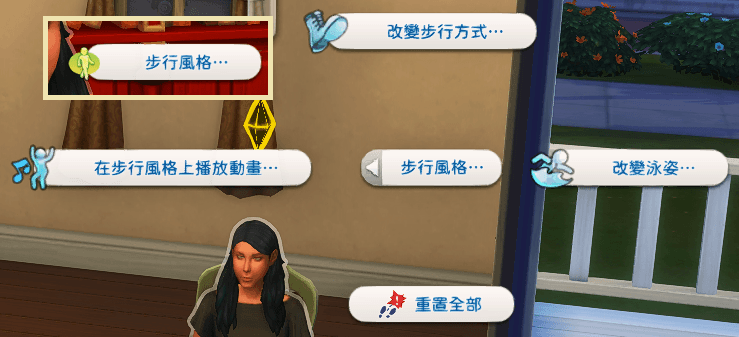
🔸 Module Features 🔸
This interaction works for all ages except toddlers and infants (for now). Children also have access to this interaction, but they have fewer walking options compared to Sims older than teenagers.
Once you set a walking style for your Sim, it will remain in effect until you manually reset it, even if you exit the lot or the game. To reset the walking style to the Sim's default, use the "Reset Walking Style" interaction.
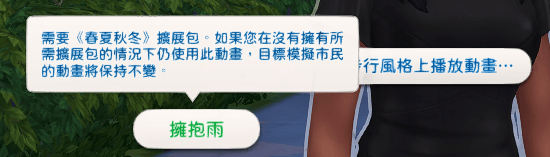
Some walking styles require specific DLC to be installed. If you don't have the required expansion but try to use the corresponding walking style, nothing will happen. Hovering your mouse over the walking option will display a description of the specific DLC required.
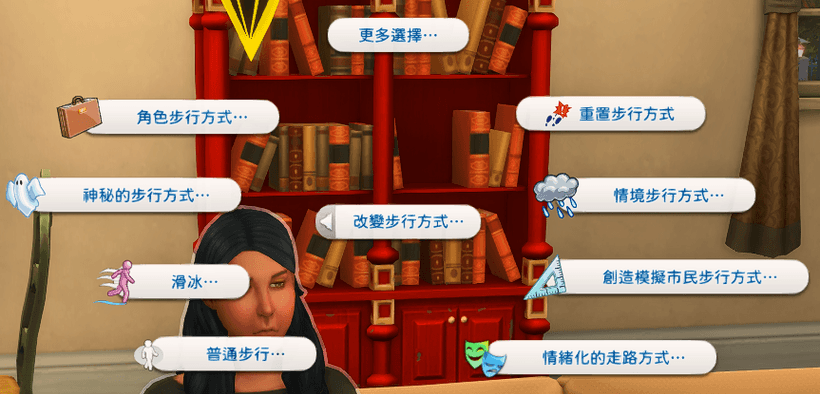
🔸 Change the Character's Walking Style 🔸
The options in this menu allow you to change your Sim's walking style without entering CAS. The author has also added 7 different speed variations for both normal walking and running styles, along with additional walking styles unlocked through other expansion packs.
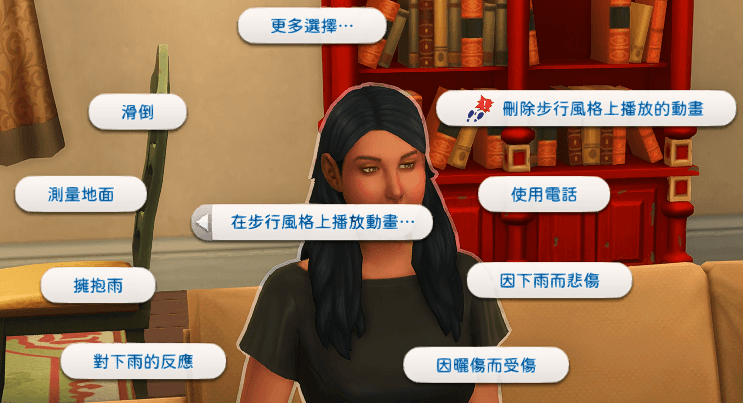
🔸 Added Repeated Animation Walking Styles for Characters 🔸
This option is different from the walk style itself. The animations in this option will be used in conjunction with your character's current walking style. For example, in the first picture below, the normal walking style is paired with the "Embracing Rain" animation. In the second animated image, the normal walking style is paired with the "Blocking Rain" animation. This feature is particularly helpful for players who enjoy storytelling or making movies.

🔸 Change Character's Swimming Style 🔸
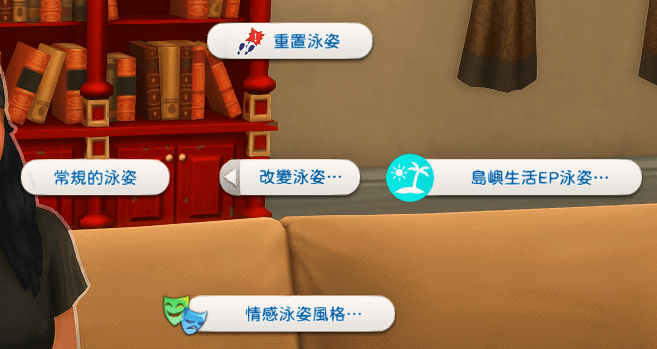
In addition to the walking style, this mod also allows you to choose a swimming style from the "Change Swimming Style" menu. Available options include emotional swim styles, mysterious race swim styles (such as mermen), and swim styles from the Island Life expansion pack.
📛 Known Issues 📛
- Death's walking style has a higher priority, so it is not possible to change Death's walking style.
- Even if you select other specific repeating animation walk styles, your character may still occasionally use the phone while walking. This is a limitation due to game programming.
﹏﹏﹏﹏﹏🍧☪🧊☪🍨☪🧊☪🍦﹏﹏﹏﹏﹏
💬 【Translator's Notes & Reminders】 ↴
【譯者實測&小叮嚀】
Although this module may not be particularly useful for players focused solely on gameplay, it is highly beneficial for storytelling.
If you're using DX11, some icons may appear as llamas. To fix this, you can use S4S Programs > Content Management > Batch Fixes > Update Images for DX11.
﹏﹏﹏﹏﹏﹏﹏🍧☪🧊☪🍨☪🧊☪🍦﹏﹏﹏﹏﹏﹏﹏
⩥【Troubleshooting Issues: Game or Module Not Running Normally】 ↴
【模組下載後無法正常遊戲、模組沒有正常運行或在遊戲運行時出現任何問題】
-
Confirm the installation path:
Ensure that the installation path is correct. If you have any questions about module installation, refer to the installation tutorial video. -
Delete old files before installing new ones:
Always delete the old version of the file before installing the new one. Do not overwrite files during installation. If this is your first time installing the module, you can ignore this step. -
Regularly delete cache files:
Locate and delete the cache file atThe Sims 4/localthumbcache.package. -
-
Script file placement:
If the module includes a script file (.ts4script), ensure that the script file is not placed more than one folder deep. Example:Mods > Custom folder > ts4script.
❞ If the issue persists after following the above steps:
Temporarily remove all other mods from the Mods folder,leaving only the problematic module and any custom mods required for its functionality. Before launching the game, make sure to delete the cache file again, then test the module with a new save file.
↪ If the problem is resolved:
This indicates a conflict with one of the removed mods. Use the 50/50 troubleshooting method to identify the conflicting mod. (Refer to the video guide on resolving mod conflicts.)↪ If the problem persists:
Ensure that your game version, module file, and Chinese translation file are up to date. Verify that all necessary components listed under [Required DLC & Custom Mods] and [Other Mod Conflicts & Compatibility] are properly installed. For further assistance, consider joining the Discord community.﹏﹏﹏﹏﹏﹏﹏🍧☪🧊☪🍨☪🧊☪🍦﹏﹏﹏﹏﹏﹏﹏
⩥【How to Resolve Chinese Display Issues】 ↴
【漢化顯示問題的處理方式】❞ If the Chinese version appears blank or is not displayed:
- Confirm whether the installation path is correct and not too deeply nested (e.g.,
Mods > Custom Folder > Chinese Version File). - Delete the "!" at the beginning of the Chinese version file name (only delete the "!" symbol).
- For MAC users, replace the "!" at the beginning of the file name with "1" or "A".
❞ Simplified Chinese Language Support:
- Simplified Chinese does not require a separate patch but is only supported in games set to Simplified Chinese.
- If your game is set to Traditional Chinese, the Simplified Chinese version may not display correctly.
- For players with the game set to Simplified Chinese, if the text appears blank, please leave a message to report the issue.
🎀More Chinese translations are available on my Patreon.
更多中文翻譯可以在我的Patreon上找到。
https://www.patreon.com/c/meowcats -