

Sion Bedroom CC
Description
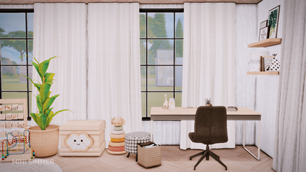
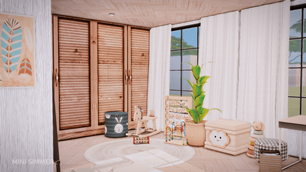
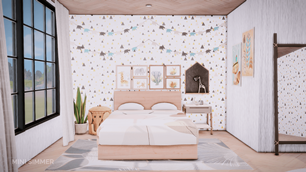
Transform your Sims’ space with the Sion Bedroom CC—a cozy, modern suite that blends adult elegance with child-friendly charm. The centerpiece is a plush double bed framed by whimsical mountain-and-tree wallpaper, flanked by twin windows that bathe the room in natural light. Thoughtful details like hexagonal shelves, minimalist artwork, and potted plants add warmth and personality, while a sleek wooden wardrobe and circular rug bring Scandinavian-inspired comfort. Tucked into the corner, a delightful play area features plush toys, a mini bookshelf, and a woven basket, making this set perfect for Sims families who crave both style and heart.
To install this room in your game:
-
Download the room and unzip the files.
-
Copy all the extracted files.
-
Paste them into your Tray folder (located at Documents → Electronic Arts → The Sims 4 → Tray).
-
Launch The Sims 4, open the Gallery, and go to the My Library tab.
-
Locate the lot, place it in your world, and enjoy!
Happy simming! 🎮