
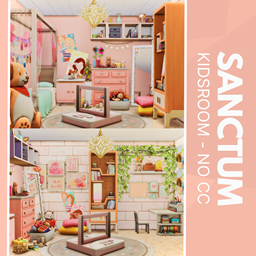
Sanctum Kidsroom - No CC
Description
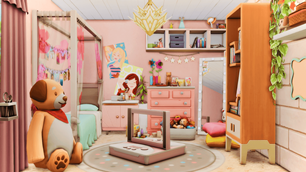
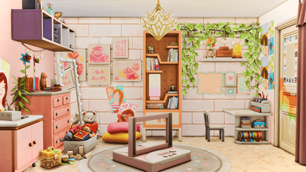
Welcome to the Sanctum Kidsroom—a vibrant, clutter-cute haven designed for little dreamers. From plush bears to pastel dressers, every corner tells a story of comfort and creativity. The central play zone invites imagination, while leafy accents and star garlands add warmth. Thoughtful layout shifts offer versatility for storytelling, gameplay, or family builds. No CC needed—just pure joy, soft textures, and a sprinkle of Sims magic.
To install this room in your game:
-
Download the room and unzip the files.
-
Copy all the extracted files.
-
Paste them into your Tray folder (located at Documents → Electronic Arts → The Sims 4 → Tray).
-
Launch The Sims 4, open the Gallery, and go to the My Library tab.
-
Locate the lot, place it in your world, and enjoy!
Happy simming! 🎮