
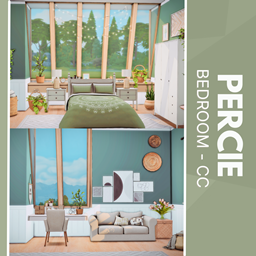
Percie Bedroom
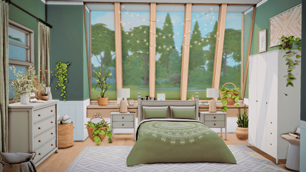
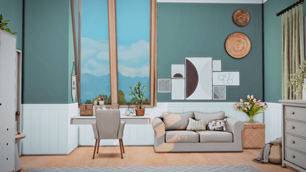
Description
The Percie Bedroom is a tranquil, nature-inspired retreat designed for Sims who crave comfort and style. With floor-to-ceiling windows framing lush outdoor views, this space is bathed in natural light and grounded by earthy green tones. Cozy bedding, woven textures, and potted plants create a calming atmosphere, while the desk nook and plush sofa offer functional charm for storytelling or gameplay. Thoughtful details like wall art, baskets, and floral arrangements add depth and realism to every corner. This CC build is perfect for aesthetic screenshots, immersive roleplay, and Sims who love a soft modern vibe.
To install this room in your game:
-
Download the room and unzip the files.
-
Copy all the extracted files.
-
Paste them into your Tray folder (located at Documents → Electronic Arts → The Sims 4 → Tray).
-
Launch The Sims 4, open the Gallery, and go to the My Library tab.
-
Locate the lot, place it in your world, and enjoy!
Happy simming! 🎮