
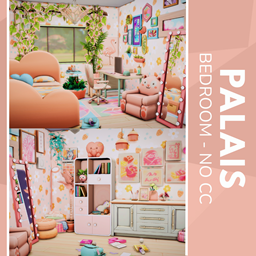
Palias Bedroom - No CC
Description
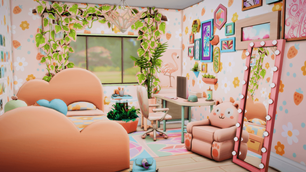
Step into the dreamscape of the Palais Bedroom—an enchanting, pastel-hued retreat that blends playful charm with serene comfort. Featuring a cloud-shaped headboard, chibi-style cat armchair, and cheerful flamingo accents, this space is a visual hug for anyone who craves warmth and whimsy. Thoughtfully styled with floral wallpaper, plush toys, and glowing vanity lights, it’s ideal for creatives, gamers, or anyone seeking a cozy escape. Every detail, from the soft peach tones to the curated desk nook, invites relaxation and inspiration. Perfect for virtual decorators or interior design lovers who adore kawaii aesthetics and emotionally supportive spaces.
To install this room in your game:
-
Download the room and unzip the files.
-
Copy all the extracted files.
-
Paste them into your Tray folder (located at Documents → Electronic Arts → The Sims 4 → Tray).
-
Launch The Sims 4, open the Gallery, and go to the My Library tab.
-
Locate the lot, place it in your world, and enjoy!
Happy simming! 🎮