
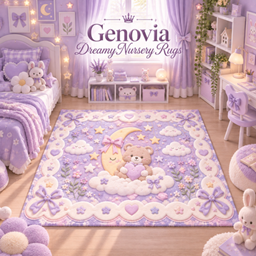
Genovia Rugs • Dreamy Nursery
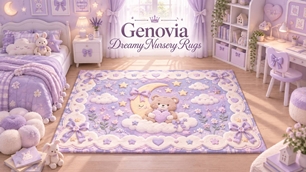
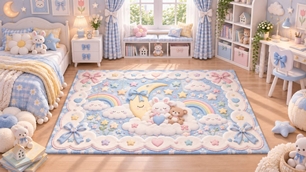
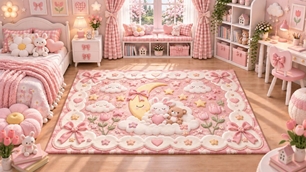
Description
🌙 Genovia Rugs • Dreamy Nursery
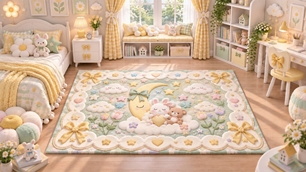
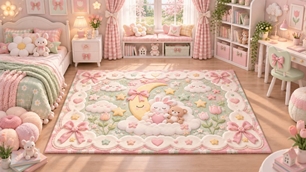
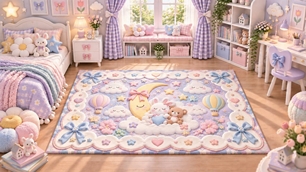
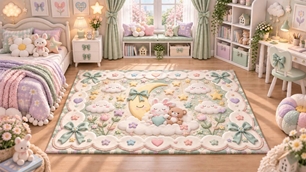
Transform your little Sims’ rooms into a soft and magical dreamland with the Genovia Dreamy Nursery Rugs Collection. ✨
This collection features adorable nursery-inspired designs filled with sleepy moons, fluffy clouds, tiny stars, rainbows, bunnies, teddy bears, bows, hearts, flowers, and dreamy pastel details.
Designed with a soft storybook aesthetic, these rugs are perfect for creating cozy nurseries, toddler bedrooms, children’s rooms, playrooms, and whimsical pastel interiors.
Each swatch features its own dreamy composition and color palette while keeping the same sweet, cozy Genovia aesthetic. 🧸☁️🌙
✨ Features
• 6 unique swatches
• Large rectangular area rug
• Dreamy nursery & storybook aesthetic
• Bunny, teddy bear, moon & cloud motifs
• Stars, bows, hearts & rainbow details
• Soft pastel color palettes
• Cozy quilted / plush-inspired appearance
• Perfect for nursery and children's interiors
• Base Game Compatible
• Custom Content for The Sims 4
🎨 Color Palette
The collection includes a selection of dreamy pastel combinations:
🌸 Blush Pink & Cream
🩵 Powder Blue & Pearl White
🥛 Vanilla Cream & Champagne
🪻 Lavender & Ivory
🌈 Pastel Blue, Pink & Rainbow Tones
🌙 Dreamy Pink, Cream & Soft Yellow
Mix and match the different swatches to complement your nursery or children's room color scheme.
🏡 Perfect For
These rugs are especially suited for:
• Nurseries
• Baby rooms
• Toddler bedrooms
• Kids' bedrooms
• Playrooms
• Pastel interiors
• Kawaii rooms
• Storybook-inspired builds
• Cozy family homes
• Whimsical children's spaces
📦 How to Install
1. Download the file.
2. If your download is provided as a ZIP file, extract it first.
3. Move the .package file into:
Documents > Electronic Arts > The Sims 4 > Mods
4. Launch The Sims 4.
5. Open:
Game Options > Other
6. Enable:
Enable Custom Content and Mods
7. Restart the game if you have just enabled Custom Content.
8. Enter Build/Buy Mode and search for:
Genovia Dreamy Nursery Rugs
Your new rug collection should now appear in the catalog. ✨
🧸 CC Information
Creator: Genovia Studio
Collection: Dreamy Nursery
Game: The Sims 4
Category: Build/Buy • Decorations • Rugs
Content Type: Custom Content
Swatches: 6
Compatibility: Base Game Compatible
File Type: .package
🤍 Notes
All six designs are included together in one package file, so you only need to install the package once.
This is decorative Build/Buy Custom Content and does not require additional gameplay mods.
If the rugs do not appear in your game, make sure Custom Content and Mods is enabled in your game settings and restart The Sims 4.
✨ Created by Genovia Studio
Dreamy details for beautiful Sim homes. 🌙🧸☁️