

Las Dos Hermanas (NO CC)
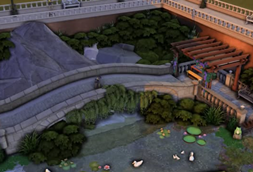
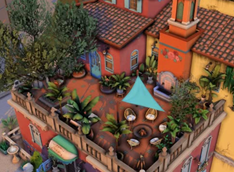
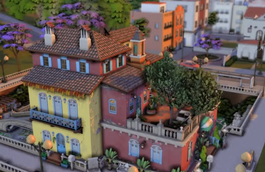
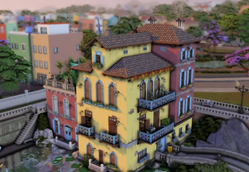
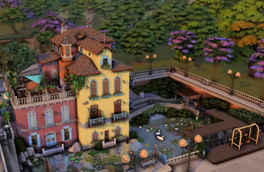
Description
Greetings!
Speed build: https://www.youtube.com/watch?v=QJECBBFmNkw
-Lot info:
Residential
50x40
"Las Dos Hermanas"
---------------------------
THIS IS A NO CC BUILD
Required packs (not all of these are absolutely necessary, i only used a few items from some - so just download the build, and replace whatever you don't have):
Expansion Packs
-
Get To Work
-
Get Together
-
City Living
-
Cats & Dogs
-
Seasons
-
Get Famous
-
Island Living
-
Discover University
-
Eco Lifestyle
-
Snowy Escape
-
Cottage Living
-
High School Years
-
Growing Together
-
Horse Ranch
-
For Rent
-
Lovestruck
Game Packs
-
Outdoor Retreat
-
Spa Day
-
Dine Out
-
Vampires
-
Parenthood
-
Jungle Adventure
-
StrangerVille
-
Star Wars: Journey to Batuu
-
Dream Home Decorator
-
My Wedding Stories
-
Werewolves
Stuff Packs
-
Cool Kitchen Stuff
-
Movie Hangout Stuff
-
Romantic Garden Stuff
-
Kids Room Stuff
-
Backyard Stuff
-
Vintage Glamour Stuff
-
Laundry Day Stuff
-
My First Pet Stuff
-
Moshino Stuff Pack
-
Tiny Living
-
Nifty Knitting
-
Paranormal
-
Home Chef Hustle Stuff
-
Crystal Creations Stuff Pack
Kits
-
Country Kitchen Kit
-
Courtyard Oasis Kit
-
Blooming Rooms Kit
-
Little Campers Kit
-
Desert Luxe Kit
-
Pastel Pop Kit
-
Everyday Clutter Kit
-
Bathroom Clutter Kit
-
Greenhouse Haven Kit
-
Basement Treasures Kit
-
Book Nook Kit
-
Modern Luxe Kit
-
Castle Estate Kit
-
Party Essentials Kit
-
Riviera Retreat Kit
-
Cozy Bistro Kit
---------------------------
HOW TO PUT THIS IN MY GAME?
1. unzip the folder
2. place the contents inside Documents\Electronic Arts\The Sims 4\Tray. The path might be different on your pc.
3. once you're in the game look up the lot in your library, you can search for it by the lot name (it will have the same name as the zip and my speed build).
OR Download the lot from my gallery, ID: Baelaisa.
---------------------------
NOTES
- If you want to delete walls/change wallpaper, then you need the Better Build Buy mod from TwistedMexi so that random items won't get deleted. Turn on "Deletion Protection" in your filters, then turn it off again after you're done!!
Bella <3